
Is Your Website Actually Working for Your Business? A 10-Point Website Checkup
Is Your Website Actually Working for Your Business? A 10-Point Website Checkup
Part 1 of the 12-Part Southwest Florida Business Digital Marketing Series
A strong online presence is built from more than a website. Search visibility, reviews, social media, advertising, video, AI visibility, customer experience, and measurement all work together.
This is the first in a 12-part series helping Southwest Florida businesses make practical digital improvements one step at a time.
We are starting with the center of nearly every company's digital presence: your website.
A website should do much more than look good. It should explain what you do, build credibility, answer important questions, generate leads, and make the next step easy. It should also help search engines and AI platforms understand your business.
That is why appearance alone can be misleading. A beautiful website that does not generate meaningful actions is not necessarily a successful website.
For Southwest Florida businesses, customers usually have plenty of choices. They may compare websites, read reviews, check social media, or ask an AI assistant before contacting anyone.
So how do you know whether your website is actually working?
Start with these 10 questions.
1. Can Visitors Understand What You Do Within Five Seconds?
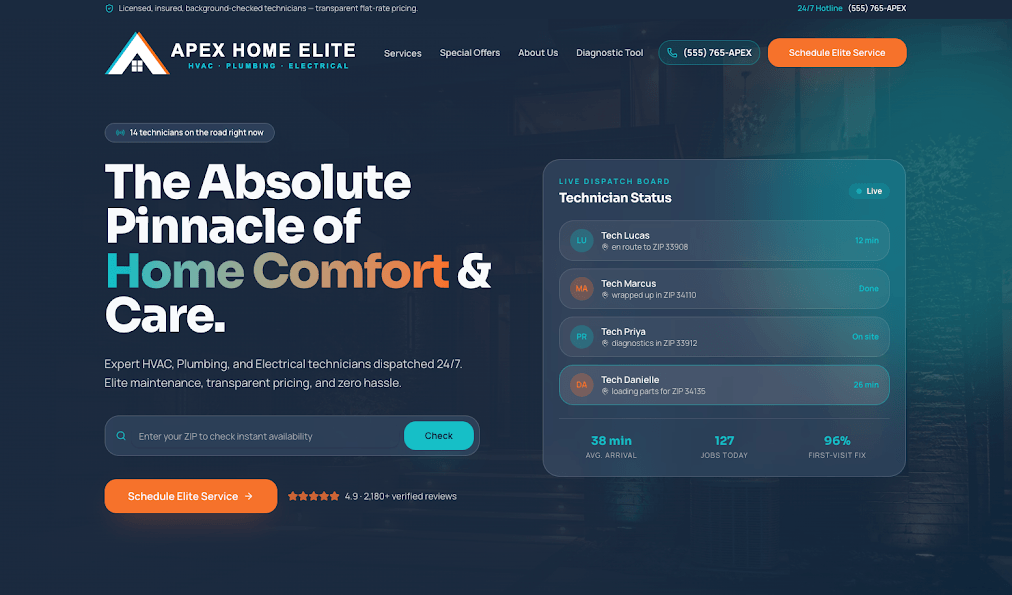
Open your homepage and look only at the first section without scrolling.
Could someone who knows nothing about your company quickly answer four questions?
- What does this company do?
- Who does it serve?
- Where does it operate?
- What should I do next?
Businesses sometimes sacrifice clarity for clever marketing language. A polished headline is not enough if visitors still cannot tell what you do.
Your homepage should establish quickly what your business does and why someone should continue exploring. Clear usually beats clever.
Quick Check
Show your homepage to someone unfamiliar with your company for five seconds. Close it and ask, "What does this company do?" Their answer may tell you more about your homepage than hours of internal discussion.
2. Is Your Website Easy to Use on a Phone?

Mobile usability is no longer optional. Many potential customers will discover your business and visit your website from a phone.
When they reach your website, the experience should work just as well on a phone as it does on a desktop computer.
Check your website for:
- Easy-to-read text
- Simple navigation
- Buttons large enough to tap
- Click-to-call phone numbers
- Forms that work correctly
- Images that resize properly
- Pages that do not require pinching or zooming
- Calls to action that remain easy to find
Do not assume your site is mobile-friendly because it fits a smaller screen. Use it and complete the same actions you expect from a customer.
Can you find a service? Contact the company? Complete a form? Schedule an appointment? Read the content comfortably?
If the answer is no, your customers may be experiencing the same frustration.
3. How Quickly Does Your Website Load?
People are not particularly patient online. If your website takes too long to load, some visitors will leave before they ever see your message.
Website speed affects user experience and search visibility. Large images, unnecessary plugins, poor hosting, and excessive scripts can all slow a site down.
Free tools such as Google PageSpeed Insights can help identify potential issues, but do not become obsessed with achieving a perfect score.
The more important question is: does your website feel fast to the person trying to use it?
Test important pages on both Wi-Fi and a cellular connection, especially your homepage, primary service pages, landing pages, contact page, and any online scheduling or checkout pages.
If visitors are waiting, you may be losing opportunities before they ever reach your content.
4. Is It Obvious What You Want Visitors to Do Next?
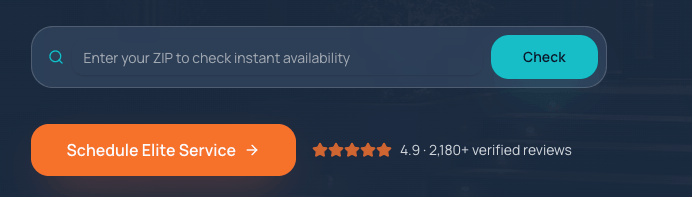
Every important page on your website should have a purpose.
What should someone do after reading it? Should they call, request a quote, schedule an appointment, register for an event, visit your location, purchase something, request more information, or download a resource?
The answer should not be difficult to find.
Do not make visitors work too hard to become customers. Calls to action should appear naturally throughout important pages, not only on a Contact page.
Examples include “Request an Estimate,” “Schedule a Consultation,” “Request an Appointment,” or “Register Now.”
Whatever action matters most to your business, make it obvious.
5. Do You Have Enough Information About Your Services?
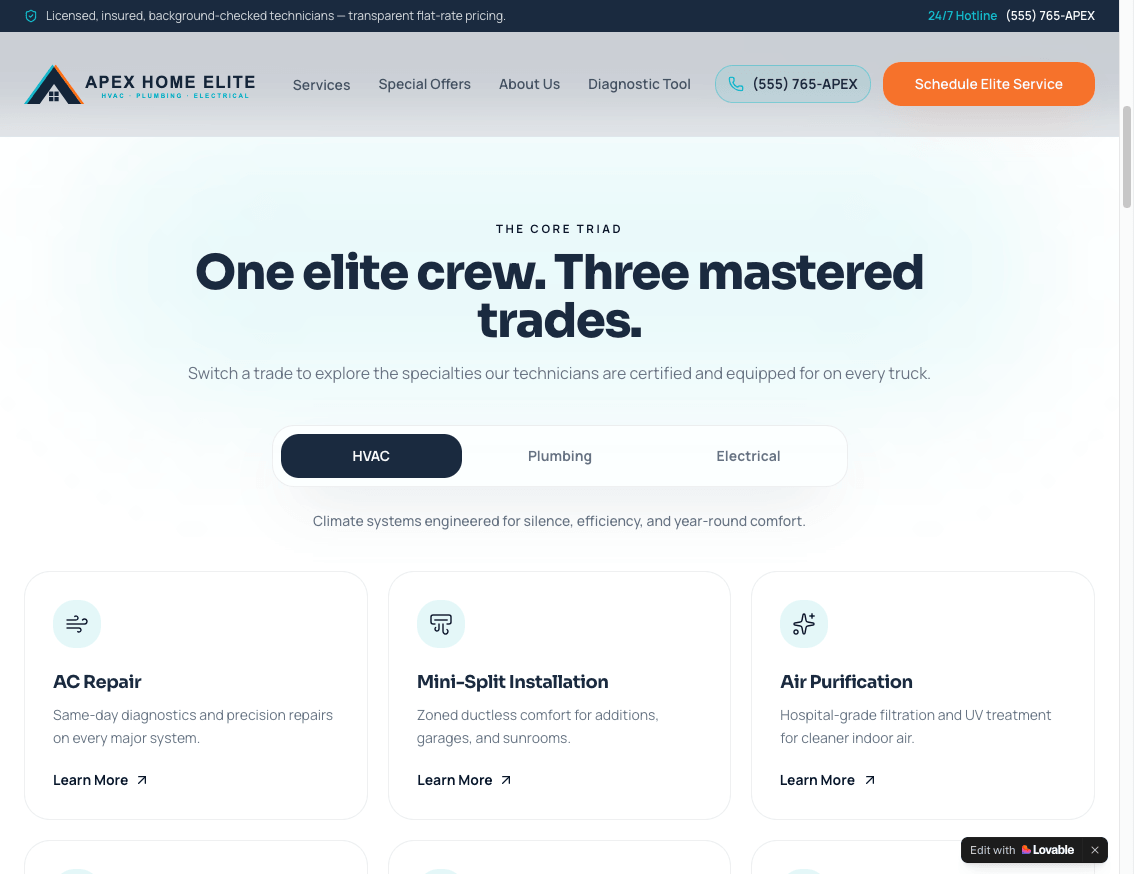
A surprisingly common website problem is saying too little.
Important services are often reduced to a few sentences, even though potential customers may have many questions:
- What exactly do you provide?
- Who is the service for?
- How does the process work?
- What problems does it solve?
- What makes your approach different?
- Where is the service available?
- What should a customer expect?
- What questions commonly come up before someone buys?
Detailed service pages help potential customers make decisions. They also give search engines and AI platforms more information about your business.
Search engines and AI systems need context. If an important service generates revenue, it probably deserves more than a sentence on your homepage.
6. Does Your Website Establish Trust?
Before contacting your business, potential customers are quietly asking: "Can I trust this company?"
Your website should help answer that question.
Trust signals may include reviews, testimonials, case studies, project examples, certifications, awards, years in business, team bios, community involvement, client logos, or video testimonials.
Local credibility is especially valuable. If you have served Southwest Florida for years, supported local organizations, or completed recognizable work, show it.
Do not simply tell visitors that your company is trustworthy. Give them evidence.
7. Can Google and AI Platforms Clearly Understand Your Business?
Your website now has two audiences.
The first is people. The second is the technology trying to understand what your company does.
AI-powered search has made clarity and authority even more important.
Your website should clearly communicate:
- Your company name
- What your company does
- Your primary services
- Who you serve
- The geographic areas you serve
- Your expertise
- Common customer questions
- Your experience and credibility
- Your contact information
This does not mean stuffing pages with keywords. Usually, the opposite is better.
Write clear, useful content that answers real customer questions. The more accurately your site explains your business, the easier it is for search and AI platforms to understand when you may be relevant.
We will explore this topic much more deeply later in this series when we look specifically at SEO, AI search, AEO, and GEO.
8. Are Your Contact Forms Actually Working?
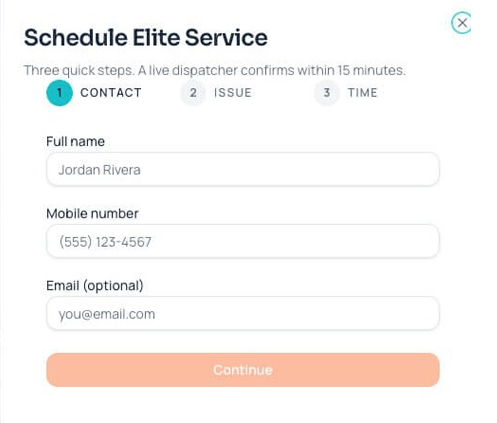
This sounds obvious, but it is easy to overlook.
When was the last time you submitted your own website’s contact form?
Websites, plugins, email security rules, spam filters, employees, and email addresses all change.
A form can appear to submit correctly while the notification never reaches your team. The customer thinks they contacted you, but your staff may never know the inquiry exists.
Test every important form periodically. Verify that:
1. The form submits successfully.
2. The visitor receives the correct confirmation.
3. Your company receives the notification.
4. The inquiry reaches the right employee or department.
5. The lead is recorded somewhere.
Businesses that depend heavily on website leads should also consider using a CRM, ticketing platform, or another system that records submissions rather than relying entirely on email notifications.
9. Do You Know What Visitors Are Actually Doing?
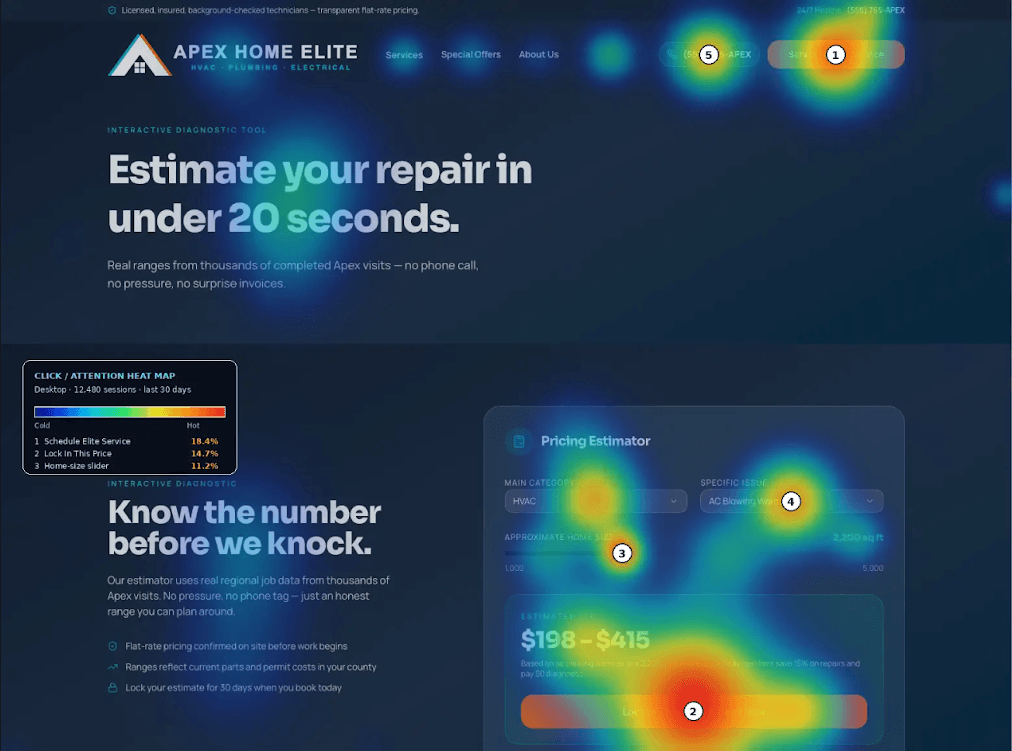
Your website should not be a black box.
At minimum, use analytics tools such as Google Analytics and Google Search Console to understand how people interact with the site:
- How do visitors find the website?
- Which pages receive traffic?
- What are people searching before finding you?
- Which pages appear in Google?
- What devices are visitors using?
- Which marketing channels generate traffic?
Using a heatmap tool (such as Hotjar or Crazy Egg) also provides significant value. These tools allow you to visually track how users navigate, click, scroll, and engage with your website content, helping you identify usability issues and optimize layouts based on actual behavior.
Traffic alone is not enough. Track actions that matter, such as calls, forms, appointments, quotes, purchases, downloads, registrations, or signups.
Suppose your company spends $2,000 generating website traffic this month. If you cannot determine whether that traffic produced a single customer inquiry, you have a measurement problem.
Later in this series, we will look much more closely at the marketing metrics business owners should actually be watching.
10. When Was the Last Time You Looked at Your Website Like a Customer?
This may be the most important test of all.
Business owners and employees see their websites differently than customers. You know the terminology and where everything is. A first-time visitor does not.
Pretend you know nothing about your business and visit your website with a specific objective. Try to:
- Find one of your major services
- Determine whether you serve your city
- Find the phone number
- Submit an inquiry
- Answer a common customer question
- Understand why someone should choose your company instead of a competitor
Then ask employees, customers, friends, or business colleagues to do the same thing.
You may discover problems that have been hiding in plain sight.
Bonus Tip: Don't Forget About the Customers You Already Have
Most websites focus on attracting new customers, but existing customers matter too.
Think about the questions employees answer repeatedly: Where can I pay my bill? How do I schedule service? Who do I contact? Where is that form? What are your hours? How do I get support?
Every call or email for information that could be available online uses staff time your website could help save.
Your website can extend your customer service team through FAQs, scheduling, payments, portals, support forms, downloadable resources, how-to videos, live chat, or easy access to the correct department.
The goal is not to eliminate personal service. It is to give customers more self-service options while reducing repetitive staff work.
Ask Your Staff This Question
Ask the employees who answer your phones, emails, customer service requests, or front desk: "What are the 10 questions customers ask us most often?"
Write them down. Then visit your website. Can customers easily find the answers?
If not, you have just identified 10 opportunities to make your website more useful.
Your 10-Point Website Checkup
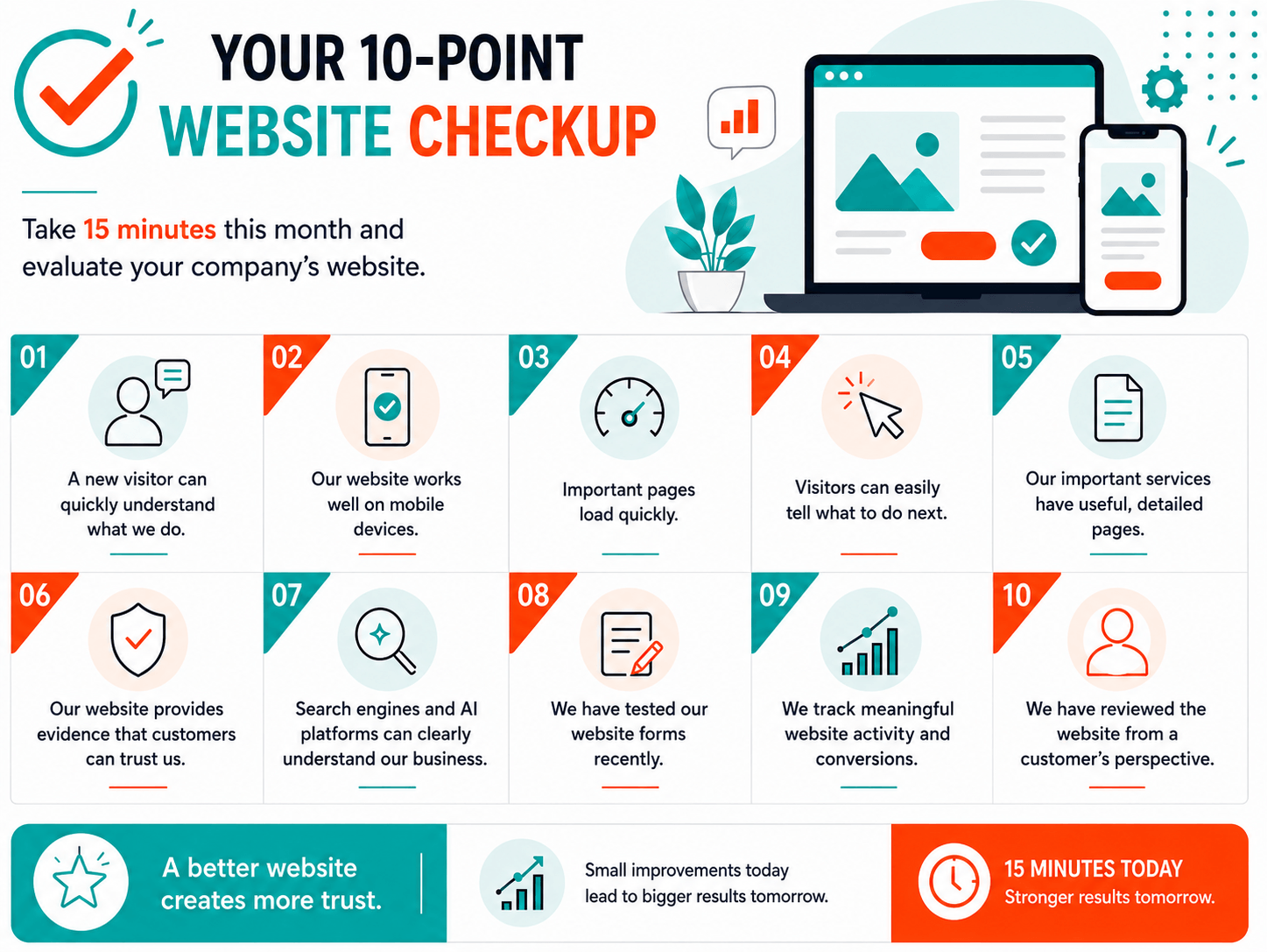
Take 15 minutes this month and evaluate your company's website.
Bonus Customer Service Check
- Customers can easily find answers to our most common questions.
- Customers can complete common tasks online where appropriate.
- Our website helps reduce unnecessary calls, emails, and repetitive staff work.
If you checked every box, you are ahead of many businesses. If you did not, that is useful information too. You do not necessarily need a completely new website. You may simply need to identify the areas preventing your current website from performing as well as it could.
3 AI Prompts You Can Use Today
AI can be a useful second set of eyes when evaluating your website.
AI Prompt #1: Audit My Website Like a First-Time Customer
Review my website at [INSERT WEBSITE URL] as if you are a potential customer visiting for the first time. Evaluate the homepage and main navigation. Tell me whether it is immediately clear what my company does, who we serve, where we operate, and what action a visitor should take next. Identify anything that may be confusing, vague, outdated, or difficult to find. Then give me the five highest-priority improvements you would make.
AI Prompt #2: Find Ways My Website Could Work Harder
Review my website at [INSERT WEBSITE URL] and identify opportunities to make it work harder for both potential and existing customers. Look for improvements to calls to action, contact forms, scheduling, FAQs, customer support, online payments, downloadable resources, service requests, customer portals, live chat, instructional content, and other self-service options. Separate your recommendations into two categories: "Generating More New Business" and "Serving Current Customers Better." Prioritize the recommendations that could have the biggest business impact.
AI Prompt #3: Can Search Engines and AI Understand My Business?
Review my website at [INSERT WEBSITE URL] from an SEO and AI-search perspective. Based on the content you can access, tell me whether it is clear what services we provide, what geographic areas we serve, what types of customers we help, and what makes our company credible. Identify important topics, services, locations, FAQs, or trust signals that appear to be missing or underdeveloped. Then recommend the five content improvements most likely to help search engines and AI platforms better understand our business.
One Important Reminder About AI
AI recommendations should be treated as a starting point, not an automatic to-do list. AI tools may misunderstand your business, overlook technical issues, make incorrect assumptions, or recommend changes that do not align with your goals. Use AI to identify questions, possibilities, and areas that deserve a closer look, then apply your own business knowledge before making major changes.
Implement 1 Automation
Improving one process in your business is even better than simply learning about it.
Each article will include an "Implement 1 Automation" challenge. Choose ONE automation that saves time, improves customer experience, reduces missed opportunities, or makes a process more consistent.
For this month's website checkup, choose one of these five automation challenges:
Automation Challenge #1: Instant Website Lead Notification
When someone completes an important website form, automatically notify the appropriate person or team through email, text message, your CRM, Slack, Microsoft Teams, a help desk, or another system your team already uses.
Automation Challenge #2: Automatic Lead Confirmation
Immediately send a confirmation to the person who completed your form. Let them know the request was received, explain what happens next, and set a reasonable expectation for when they should hear from your team.
Automation Challenge #3: Missed-Lead Follow-Up
Create a reminder or escalation if a new website inquiry has not been contacted within a defined amount of time. This can be especially valuable for businesses where response time has a major impact on whether the prospect chooses your company or a competitor.
Automation Challenge #4: Customer Support Routing
If customers use your website to request help, automatically route different types of requests to the correct person or department. Website or technical issues might go to Support, billing questions to Accounting, new inquiries to Sales, and appointment requests to Scheduling.
Automation Challenge #5: Centralize Website Leads
Automatically record website inquiries in one central system instead of relying only on individual email notifications. That system might be your CRM, help desk, project-management platform, sales pipeline, or a shared tracking sheet.
Your Goal This Month: Implement ONE
Do not try to automate your entire company at once. Pick the automation above that solves the most obvious problem in your current website process and get that one working reliably.
Your Action for This Month
Before the next installment arrives:
- Complete the 10-point website checkup.
- Run the three AI prompts in this article.
- Fix at least one website weakness you identified.
- Implement one automation challenge.
- Record a few baseline website metrics, such as monthly visitors, calls, form submissions, appointments, purchases, or other conversions that matter to your business.
Keep those starting numbers. When we reach the end of the 12-part series, you will have something concrete to compare against and a much better way to judge whether your digital presence has actually improved.
Your Website Should Be a Business Tool
A successful website is not the one with the newest design or trendiest layout. It is the one that helps accomplish a business objective.
That objective might be generating leads, scheduling appointments, selling products, recruiting employees, registering attendees, educating customers, providing support, or building credibility.
Start there. Define what your website is supposed to accomplish. Make sure visitors can easily accomplish it. Then measure whether it is happening.
Because the most important question about your website is not, "Do we like how it looks?"
It is: "Is it helping our business?"
What's Coming Next
This website checkup is only the starting point. The remaining 11 parts will build on your digital presence one area at a time.
We will cover Google and AI discovery, local search, conversion, video, social media, digital advertising, reputation, analytics, and annual marketing planning.
The challenge is not to change everything at once. Take one article at a time. Complete the exercises. Use the checklists. Try the AI prompts. Implement one automation. Make a few improvements every month.
By the end of the series, you should be able to look back and see measurable progress in how your business is found, communicates, serves customers, and turns digital activity into opportunities.
About M&M Multimedia
M&M Multimedia is a Southwest Florida digital marketing and video production agency helping businesses connect website design, SEO and AI search visibility, digital advertising, social media, video production, and marketing strategy to generate measurable business results.